Search engines, food delivery, marketplaces, banks, government services, even school diaries - everything works through a browser.
To provide the user with maximum information, a real zoo of technologies is used. Someone writes websites with zero - out of ignorance or principle. Some people use frameworks - just so it looks decent. Flask and Django for Python, Spring for Java, Laravel for PHP - each offers ready-made solutions.

Users are becoming more and more demanding: they want:
- beautiful authorization,
- interactive,
- online support,
- and instant feedback.
Want to know how vulnerable the websites you use every day are?
You can read about vulnerabilities as much as you want, but nothing can replace practice. Try it yourself - intercept the request, find hidden directory, run the fuzzer. These are not academic examples from a textbook, not superficial recommendations, but real techniques that pentesters and bughunters use, and we know who else...
The six tools we've collected in this article are your first combat kit.
Each of them opens your eyes to how the web works: what is being communicated "behind the scenes", how forms are structured authorization, what mistakes even large companies make. No unnecessary theory, just practice! You are not just You learn - you begin to see vulnerabilities where others see a regular website page.
Proxies and interceptors
Burp Suite is a real Swiss army knife for a pen tester.

Probably the most famous and convenient utility for intercepting traffic, editing sent requests and much more. You can change cookies, form parameters, headers and most importantly - see the changes immediately! The widest possibilities (they can be study for years!), user-friendly interface, extension support, fine-tuning, launch on any platform – Burp written in Java - all this makes the utility a perfect hacking tool in the hands of a skilled pen tester!
If you want to understand how the web works from the inside, start with Burp . You'll see that clicking the "Login" button is it's not magic at all, but the data from the POST request can be replaced (that's how you brute force the admin panel). Or that some forms send passwords in clear text. You will also learn how to run fuzzing, search for XSS and select query parameters for summer.
Installing the tool is quite simple: on Windows, go to the download page and find the version for your bit depth. Make sure that the free Community Edition version is selected. After downloading, we get the exe file, run it and use it. For Linux, download the bash script, give it execution rights and run it.
Burp is not just a tool. It is the point where the transition from user to professional begins.
OWASP ZAP

Free, open source and backed by one of the most renowned organizations in the field cybersecurity OWASP Open Worldwide Application Security Project (this is the company that publishes the top 10 vulnerabilities every year OWASP TOP 10 ). In fact, it is an alternative to Burp Suite, only without having to pay or search “alternative installation methods”. The interface is simpler, the tools are more laconic, but for a beginner this is even a plus.

The installation is similar to Burp: from the releases page download the required version for Windows, for Linux there is a .deb and tar.gz archive. You can install it directly from the repositories via:
sudo apt install zaproxy
ZAP can intercept traffic, scan websites for vulnerabilities, build a request map, and automate attacks.
It supports fuzzing, works as a proxy, has a built-in scanner and even visual reports. It is suitable for understand the mechanics of HTTP, understand how cookies, redirects and login forms work, there is a decent translation into Russian language, if it matters. Launch ZAP, specify the website address and watch the website “talk” to you.. Below will be a small comparison table of these two tools:
tools:
| Burp Suite | OWASP ZAP | |
|---|---|---|
| License | Freemium license (there is a paid Pro version) | Completely free (open-source) |
| Interface | Dense, tabbed and feature-rich | Easier, more intuitive for a beginner |
| Auto Vulnerability Scanner | Only in the paid version | Available immediately |
| Fuzzing | Intruder (limited in free version) | Built in and open |
| Plugins and extensions | BApp Store (huge selection, requires Pro for everything) | Marketplace with lots of free add-ons |
| Updates | Regular, but some functions are closed in Pro | Constantly evolving with the community |
| Support | Professional, but for money | Forums, GitHub, Community |
| Speed of work | High, especially in the Pro version | Depends on configuration, but usually stable |
| Ideal for… | Experienced pentesters and bug hunters | Newbies and educational platforms |
Burp Suite and OWASP ZAP tools are in the same league: both allow you to intercept traffic, analyze requests and find vulnerabilities. Their functionality overlaps in many ways: proxy, scanning, fuzzing, automation, working with cookies and requests. But the key differences are in philosophy and approach.
- Burp Suite was created as a professional tool for pentesters who value depth, speed and flexibility. It is "sharper", but takes time to master.
- OWASP ZAP , on the other hand, was originally designed as a free alternative – with an emphasis on accessibility and simplicity. It is suitable for training, for the first steps, for those who are just starting their path in cybersecurity. But also in It has deep settings, especially with add-ons and scripting.
Vulnerability Search
We figured out utilities for intercepting and analyzing traffic, learned how to analyze the site's responses to our actions. Now it's time to move on to the next stage of vulnerability search. Below we will conditionally divide the tools into 2 groups:
- Nikto and Nuclei scan the site as a whole – looking for leaky configs, outdated software and common patterns vulnerabilities.
- sqlmap and dirsearch , on the contrary, strike in a targeted manner: one attacks databases through vulnerable parameters, another methodically goes through hidden directories and files.
Each of these tools examines the site in its own way - you just have to choose which side to start with.
Nikto
Nikto is a relatively old one (the first version was released as far back as 27 December 2001), but a reliable command-line web scanner that checks your server for hundreds of known vulnerabilities: outdated versions of Apache/Nginx/IIS , misconfigs, accessible directories, potentially dangerous files and paths and and much more. Of course, it is not able to find a zero-day vulnerability, but it copes well with the classics: it will find forgotten phpinfo.php , public .git/ , open /admin/ directory or outdated CMS engine.
Easy to use, works from console, irreplaceable for the first passive overview of targets. Yes, it looks a bit "old school" but does the dirty work reliably.
Installation from git repository
git clone https://github.com/sullo/nikto.git cd nikto/program perl nikto.pl -h http://example.com
or through system repositories
sudo apt install nikto
Nikto is launched from the console, which means that you will not see the usual window with buttons, tabs and beautiful graphs. There is no GUI here - just a terminal, commands and the result. And that's good.

Working through the console will give you more control and flexibility: no resources are spent on drawing the window, you can run tool via ssh on a remote server or raspberry, save and read logs with one command. And at the same time – there is A great opportunity to brush up on your command line skills, which will be useful to you far beyond Nikto.
If you used to launch everything with a mouse click - now is the time to get out of your comfort zone! Just you, the site and Nikto.
Nuclei
Nuclei is a high-speed vulnerability scanner, developed by the team ProjectDiscovery . It works on templates (YAML files) in which describes what to look for, where to look, and how to recognize a vulnerability . This makes Nuclei not just a scanner, but a real automated analysis engine.
Easy to use, works from console, irreplaceable for the first passive overview of targets. Yes, it looks a bit "old school" but does the dirty work reliably.
It is ideal for:
- scanning of mass targets (e.g. entire subnets),
- checks for specific types of vulnerabilities (XSS, RCE, SSRF, CVE),
- integration into CI/CD pipelines, bug bounties and pentest automation.
You don't just run a "scan everything" - you know exactly what you're checking and why.
Installation can be done directly from go (I hope you have Golang installed and running)
go install -v github.com/projectdiscovery/nuclei/v3/cmd/nuclei@latest
After installation, it is worth updating vulnerability templates
nuclei -update-templates
And start scanning and analyzing:
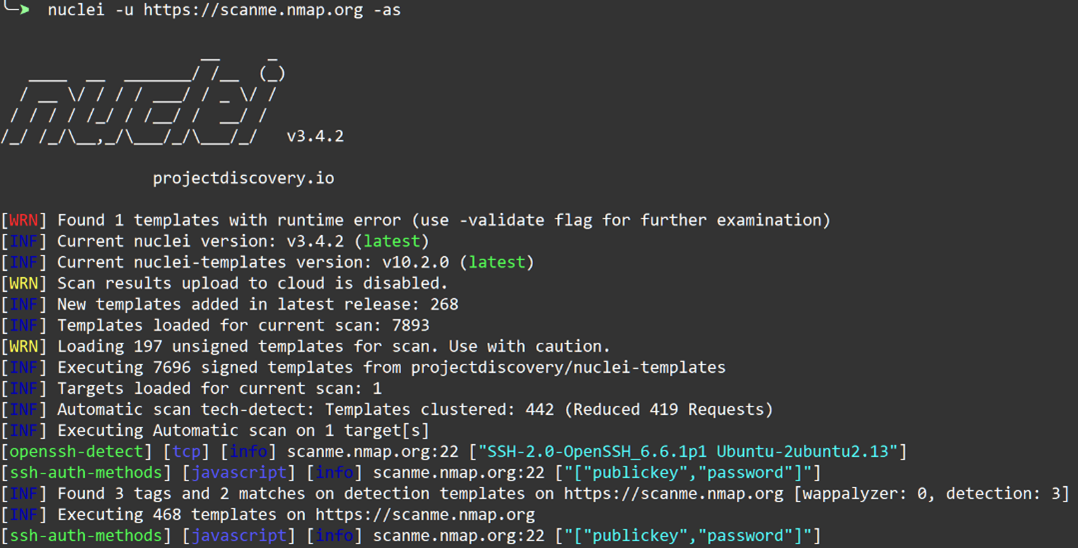
Among the main features we can note:
| YAML templates | Write your own tests, share them and study other pentesters' templates. |
| Speed | Scans dozens of targets per second. Suitable for mass analysis. |
| Flexibility | Want to search only for XSS? Or only for Nginx vulnerabilities? — easy. |
| Integration | Easily integrated into pipelines, CI/CD, scripts. |
| Open template base | Thousands of ready-made templates from the community. Constant updates. |
| CLI only | Works in the terminal. Easy to automate. No windows. |
If you need a lightweight, customizable, and really fast vulnerability scanner, Nuclei is the one for you. It doesn't will generate beautiful reports in a GUI, but will give you powerful control and real speed.
sqlmap — professional database hunter
Next up is sqlmap , a tool that does all the search and search routine for you. exploitation of SQL injections .

Is there login and password authorization on the site? Where are they stored? Of course, not in the admin's text file – a database is used. Is there a history of orders? Also a database with a corresponding table. List of users, goods, chats, access rights? Everything is in the DB. It is convenient, fast and critically important for any service, from the Internet– store to the banking system.
And that is why SQL injections remain one of the most dangerous vulnerabilities (remember the OWASP TOP 10). If the developer forgot to set up filtering somewhere or incorrectly formatted the SQL query, you can get access to that, that should be hidden from the eyes of curious users. And here comes sqlmap - your guide to the world SQL injections.
Specify the URL, and it checks if there is an injection. If yes, it goes into the database, pulls out tables, passwords, users. Yes, all this automatically! You drink coffee and watch how sqlmap independently analyzes the answers, forms queries, bypasses filters and dumps tables one by one.
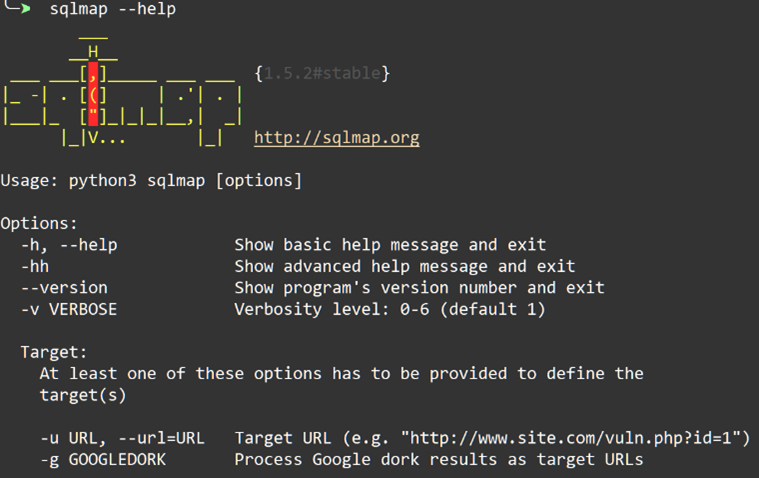
Its database contains information about such engines as MySQL, PostgreSQL, MSSQL, Oracle, it can bypass filters, it is ready test different types of injections (boolean-based, time-based, error-based and others).
Installation can also be done from the git repository:
git clone --depth 1 https://github.com/sqlmapproject/sqlmap.git sqlmap-dev python sqlmap.py -h
and via apt
sudo apt install sqlmap
If you found a url where you can specify a parameter, for example id
https://example.com/page.php?id=5
there is a chance that it sends data directly to the database - and sqlmap can take advantage of this. Just one team
sqlmap -u "https://example.com/page.php?id=5" --batch --dump
and the tool will find the vulnerability itself, select the necessary attack technique and start extracting the contents of the tables: logins, passwords, email, everything it finds. It's like putting an exploit on autopilot: you just watch the database unload, and sqlmap does all the work for you.
sqlmap is not just a script, it is a powerful combine for working with vulnerabilities in databases . It can not not only automatically find and exploit SQL injections, but also pick up logins, dump passwords, perform commands on the server, connect via TOR and even forward the shell. And the deeper you study it, the more you understand how dangerous it is in the right hands.
reconnaissance tool Let's finish our conversation about the pentester's tools with the Dirsearch

This is a tool for brute-forcing directories and files on a web server. Yes, if you know one of the modern languages programming, you can write a similar script in a few hours, but when you already have a ready-made solution, it’s easier and It's faster to use it. Dirsearch goes through the URL paths in the dictionary and sees which of them actually exist. For example, it finds /admin/, /backup.zip, /old–site/, /test.php, /config.bak — everything that was forgotten to be deleted or hide it, hoping that "no one will guess."
Installing the latest version via git repository
git clone https://github.com/maurosoria/dirsearch.git cd dirsearch python3 dirsearch.py -u https://myvuln.com
if any dependencies are required, the utility will offer to install them itself
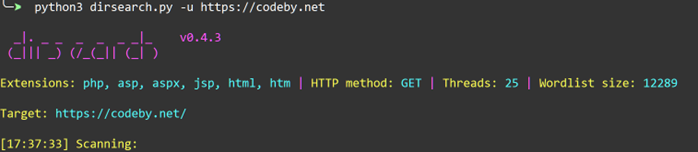
Unlike its analogues, dirsearch:
- fast - can scan asynchronously,
- flexible - filtering by response code, working with cookies, authorization,
- effective – finds what is often forgotten – admin panels, dev folders, archives, panels.
And most importantly, CTF teams and bug hunters love it for its stability and minimalism.