




What is BALANCE TRANSFER and how to work with them?
BALANCE TRANSFER is the process of transferring the balance of funds from one credit card to another or from a personal loan to a virtual (VCC), credit/debit physical card or by details to a bank account. It is also necessary to take into account that some acceptances accept transfers only for one name (same name), but there are those that accept from others (any name). Consider these factors as they will affect the success of your actions. This functionality significantly expands the scope of Enroll. Balance Transfer is done from the Enroll personal account.

After logging into your personal account from Enroll, you click on ACCOUNT SERVICES and then you need to select BALANCE TRANSFER
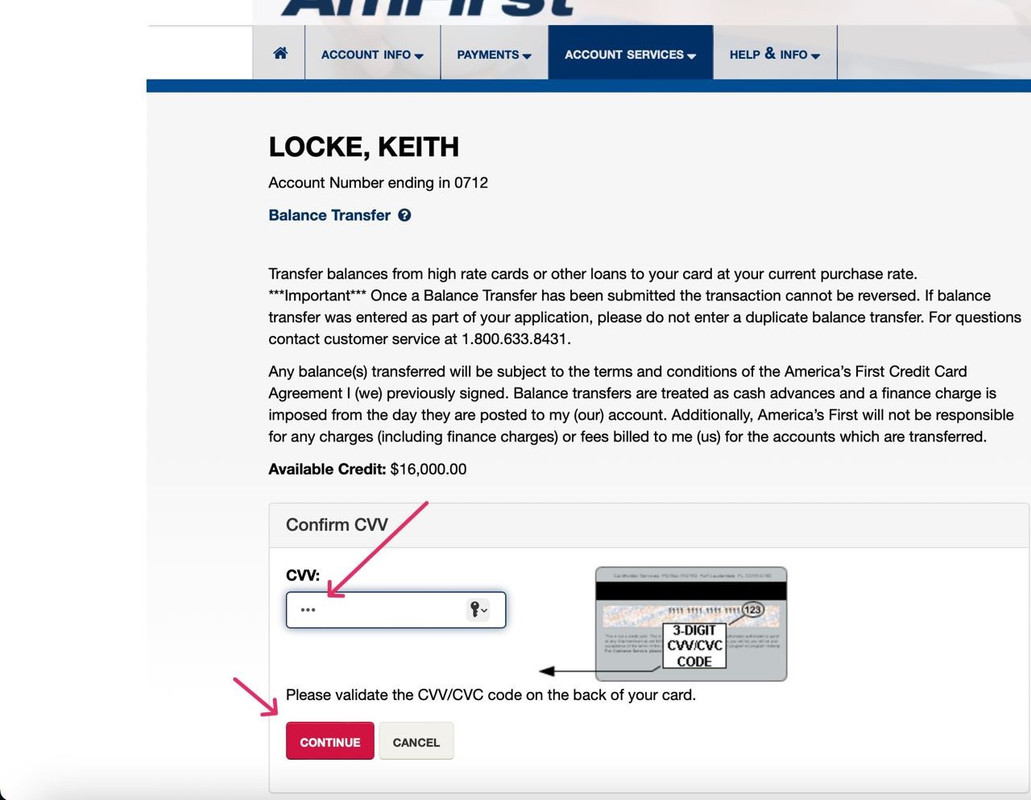
Enter CVV and click CONTINUE
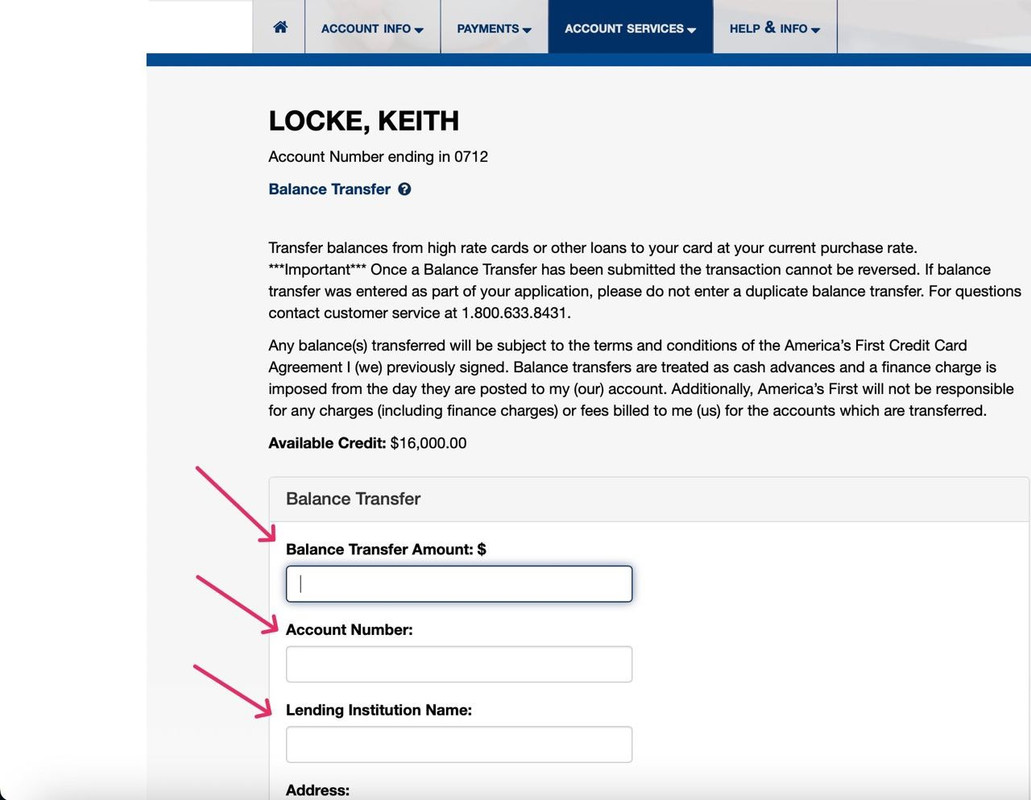
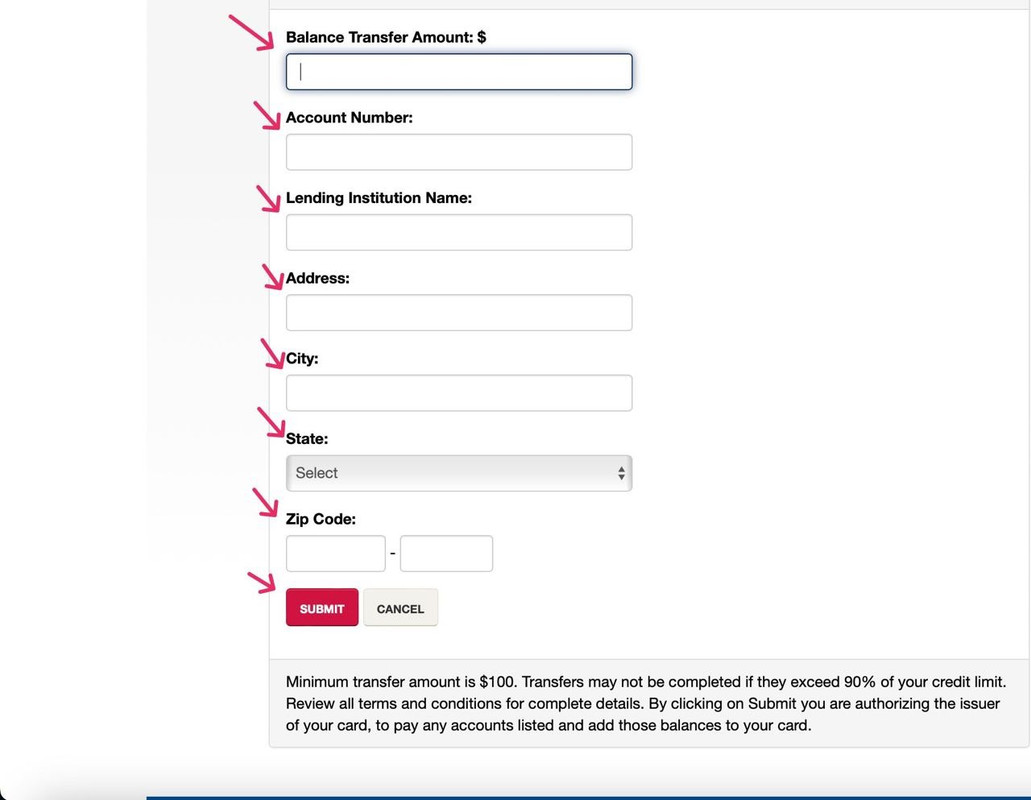
Fill in all the necessary information about the recipient and click SUBMIT
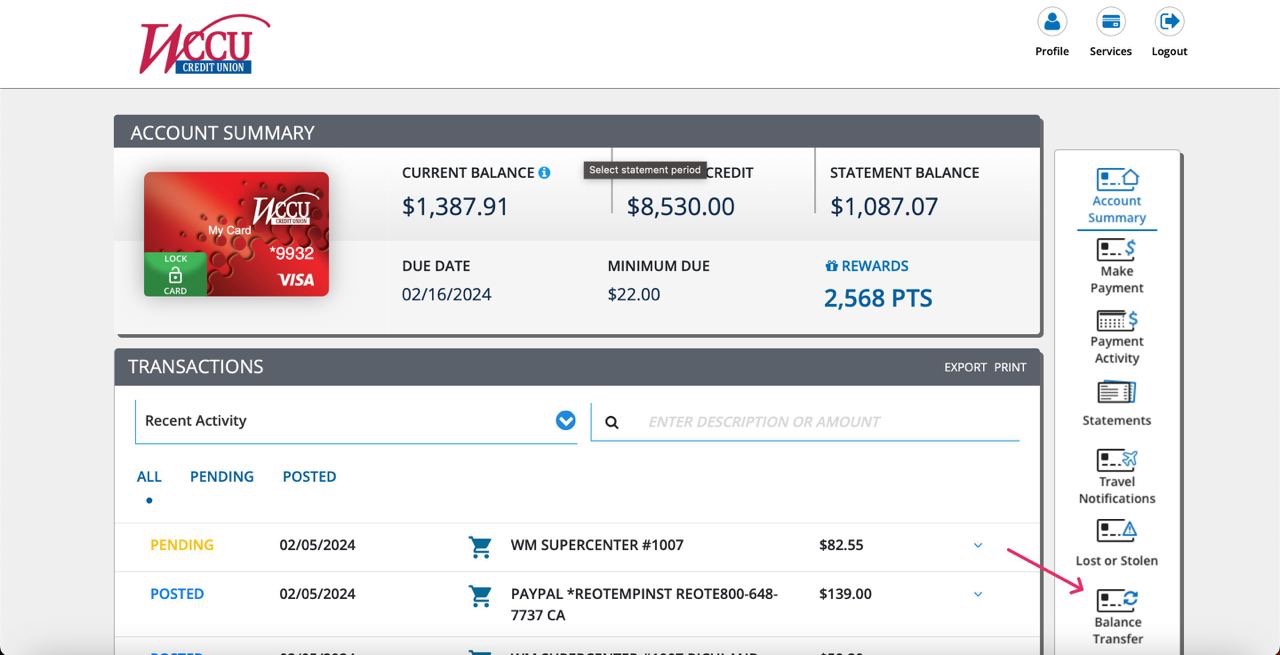
Similarly to my card info after entering your personal account, select Balance Transfer
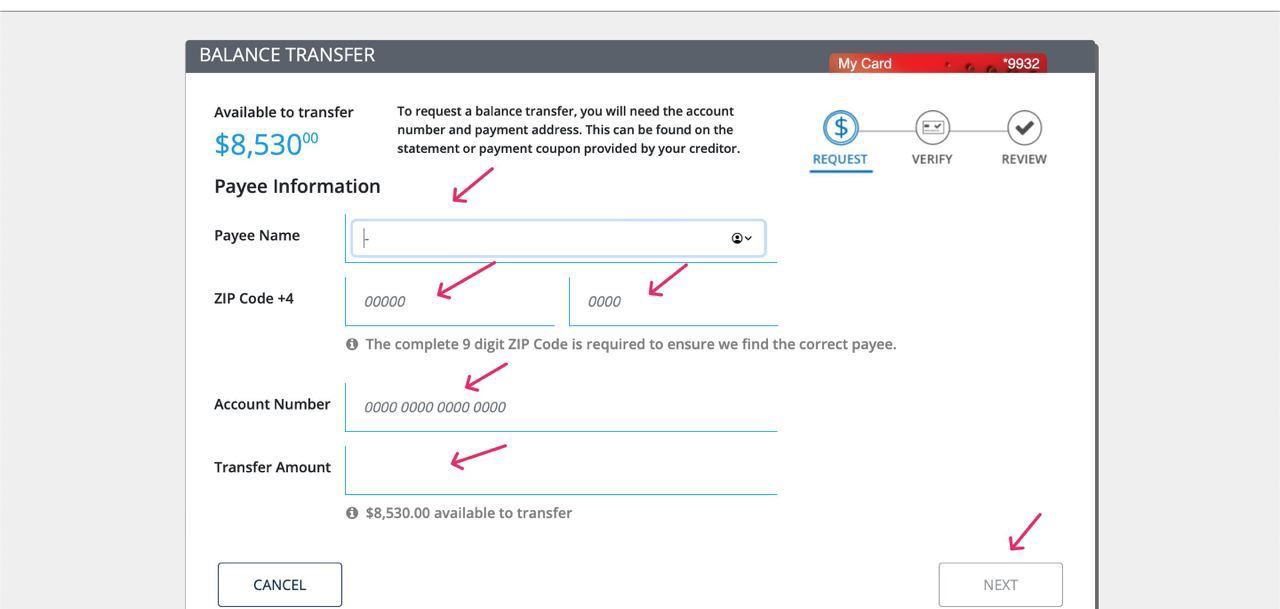
On this platform, the transfer is made by entering the billing and card number of the recipient.
BALANCE TRANSFER is the process of transferring the balance of funds from one credit card to another or from a personal loan to a virtual (VCC), credit/debit physical card or by details to a bank account. It is also necessary to take into account that some acceptances accept transfers only for one name (same name), but there are those that accept from others (any name). Consider these factors as they will affect the success of your actions. This functionality significantly expands the scope of Enroll. Balance Transfer is done from the Enroll personal account.
- My card info - на этой платформе перевод возможен только на банковский аккаунт путем ввода аккаунт номера (AN) и биллинг информации получателя.
- Dxonline - используя эту платформу вы можете сделать перевод на виртуальную карту (VCC), а так же и на физическую кредитную или дебетовую.
After logging into your personal account from Enroll, you click on ACCOUNT SERVICES and then you need to select BALANCE TRANSFER
Enter CVV and click CONTINUE
Fill in all the necessary information about the recipient and click SUBMIT
DXONLINE:
Similarly to my card info after entering your personal account, select Balance Transfer
On this platform, the transfer is made by entering the billing and card number of the recipient.

