





This trick will allow you to access internet through Calculator. Calculator can be used as a web browser
1. Open your MS Calculator. This is normally found in Start => All Programs => Accessories => Calculator.
2. Open the help-window by pressing the F1 key.
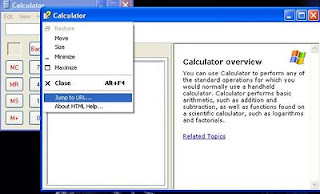
3. Click the top-left corner icon of the help window once (Standard is a Document with a Question mark).
4. You can see the option like this:
5.Click the “Jump to url”
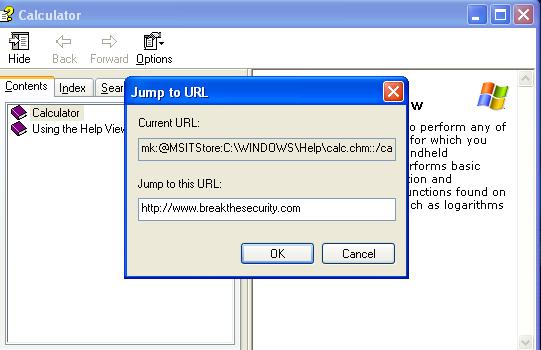
6. small window will open. Type the url and hit enter.
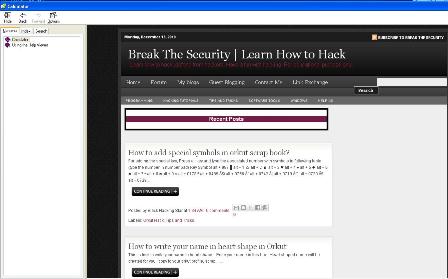
7. Maxmize the window. Now you can browse using help option
1. Open your MS Calculator. This is normally found in Start => All Programs => Accessories => Calculator.
2. Open the help-window by pressing the F1 key.
3. Click the top-left corner icon of the help window once (Standard is a Document with a Question mark).
4. You can see the option like this:
5.Click the “Jump to url”
6. small window will open. Type the url and hit enter.

7. Maxmize the window. Now you can browse using help option
